Comprehensive Stremio Guide 🚀#
In today's digital age, content consumption has become quite chaotic. Keeping track of where which series is available among many platforms like Netflix, Disney+, Amazon Prime and subscribing to all of them separately is both exhausting and costly. 😩 I can almost hear your wallet and patience screaming!
What if I told you there's a solution that brings all movies, series, documentaries and YouTube channels under one roof? This is where Stremio enters the scene!
In this comprehensive guide, you will learn what Stremio is, how to install it, basic usage and how to install the best addons. You will also find tips to maximize your experience!
What Exactly is Stremio? 🤔#
Stremio is a powerful media center that doesn't host content on its own servers, but organizes content streams from different platforms (like Netflix, YouTube, torrent sites).
Stremio is not a content provider, but a content aggregator. It helps you easily find the content you want to watch.
Basic Advantages Offered by Stremio#
- Central Library: Collect all your favorites from different platforms in one place.
- Watch Tracking: Never forget where you left off, Stremio tracks it for you.
- Calendar Feature: See new episodes of your watched series on time.
- Cross-Platform Synchronization: Continue from where you left off between computer, phone or TV.
- Extensible Addon System: Unlimited content with community-supported addons.
Is Stremio Legal? ⚖️#
The Stremio application itself is 100% legal and available in official stores. However, the legal status depends on the type of addon you use.
Using third-party torrent-based addons may cause legal issues. Please pay attention to your local laws.
When using Stremio and its addons, it is your responsibility to comply with local copyright laws and ensure your security.
Step-by-Step Stremio Installation 🚀#
1. Windows and macOS#
- Go to the official website: https://www.stremio.com
- Download and complete installation with simple instructions.
2. Linux (Arch/EndeavourOS)#
yay -S stremio
3. Other Linux Distributions (with Flatpak)#
flatpak install flathub com.stremio.Stremio
4. Android and Android TV#
- Search for "Stremio" on Google Play Store and install the official app.
- Alternatively, you can download the APK file from the official site.
How to Use Stremio? First Steps 🎬#
-
Create an account: Quickly register with email or Facebook.
-
Explore the interface:
-
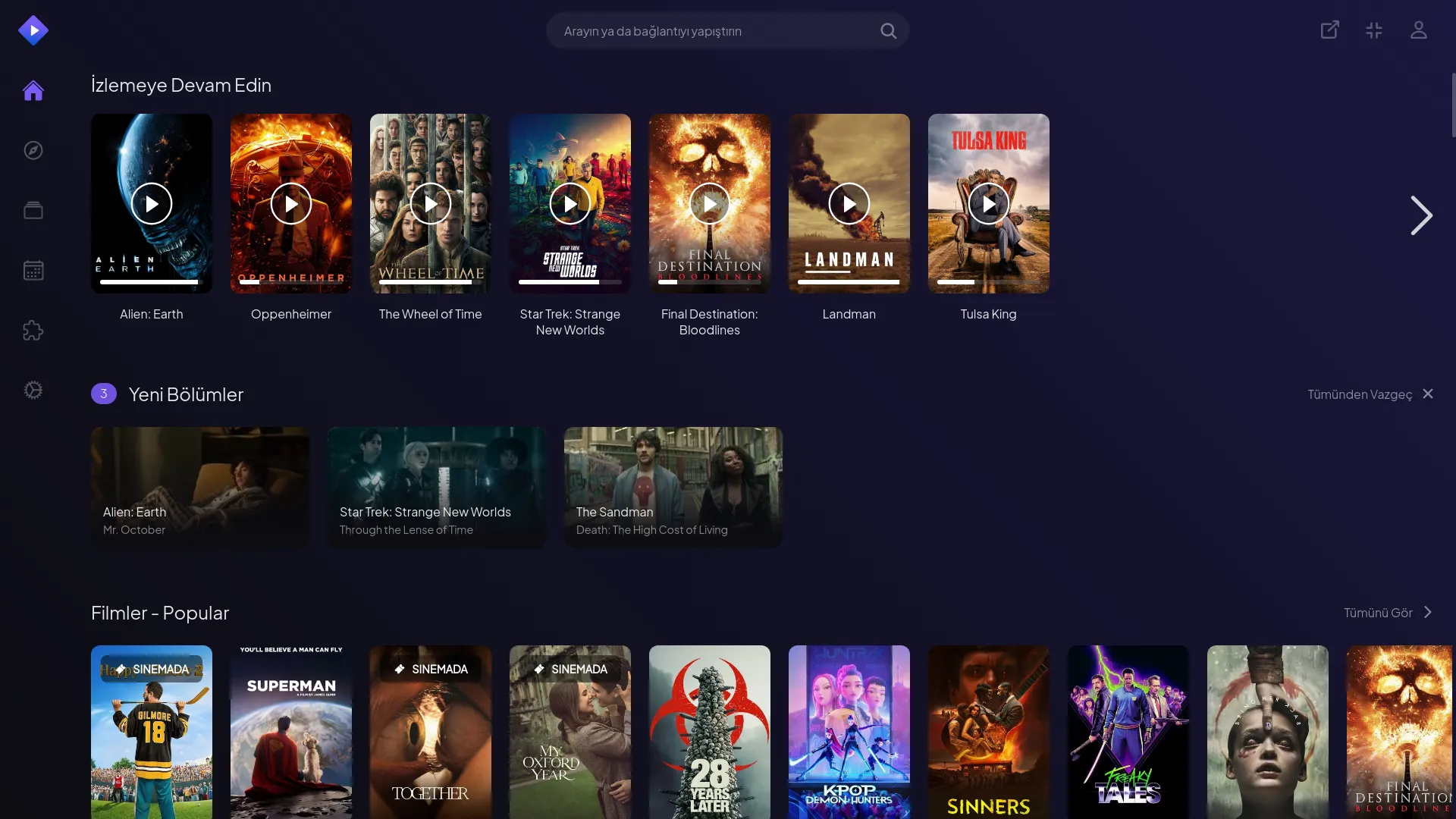
Home screen: Contents you can continue watching, new episode notifications and categorized contents.
-
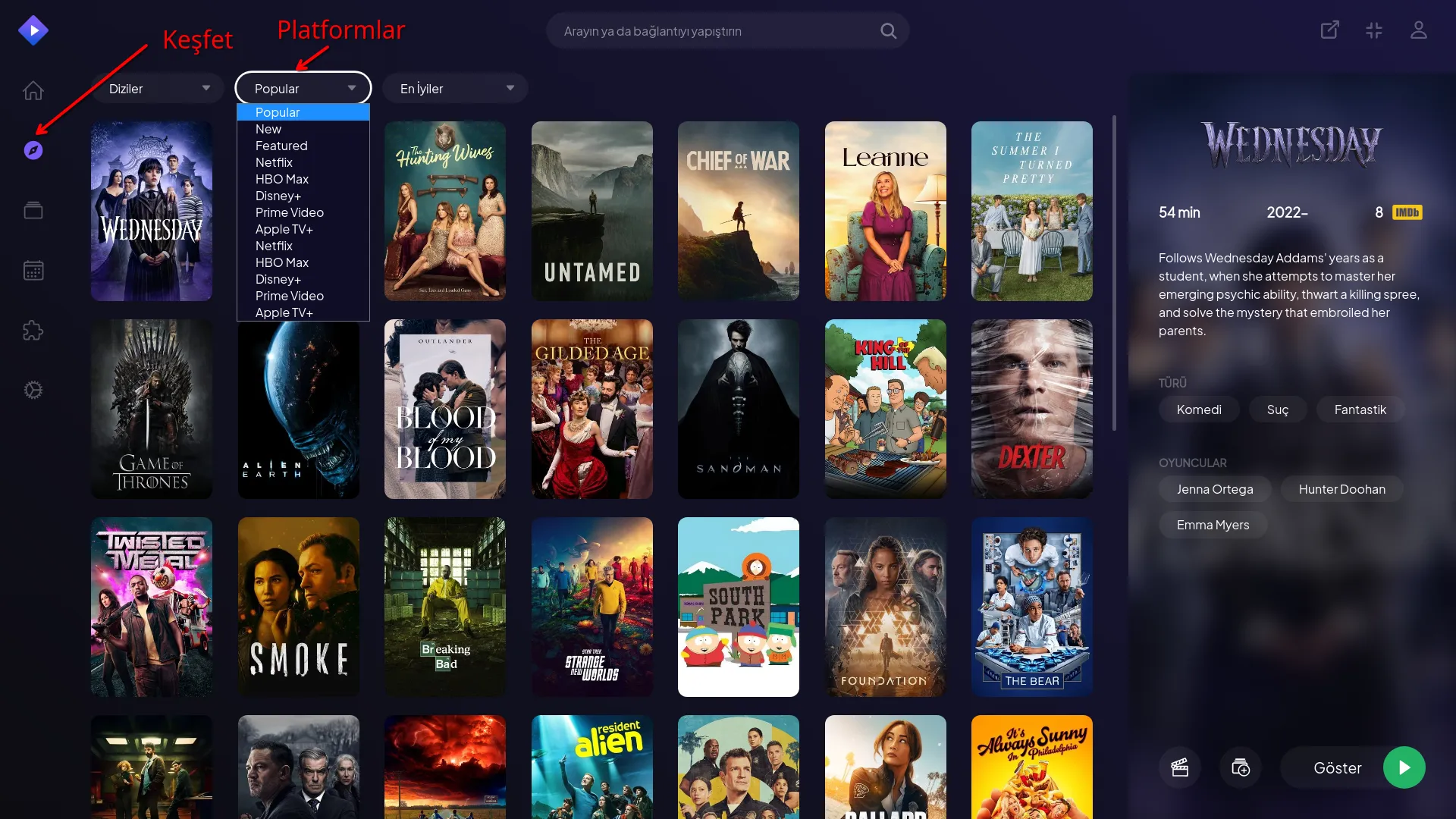
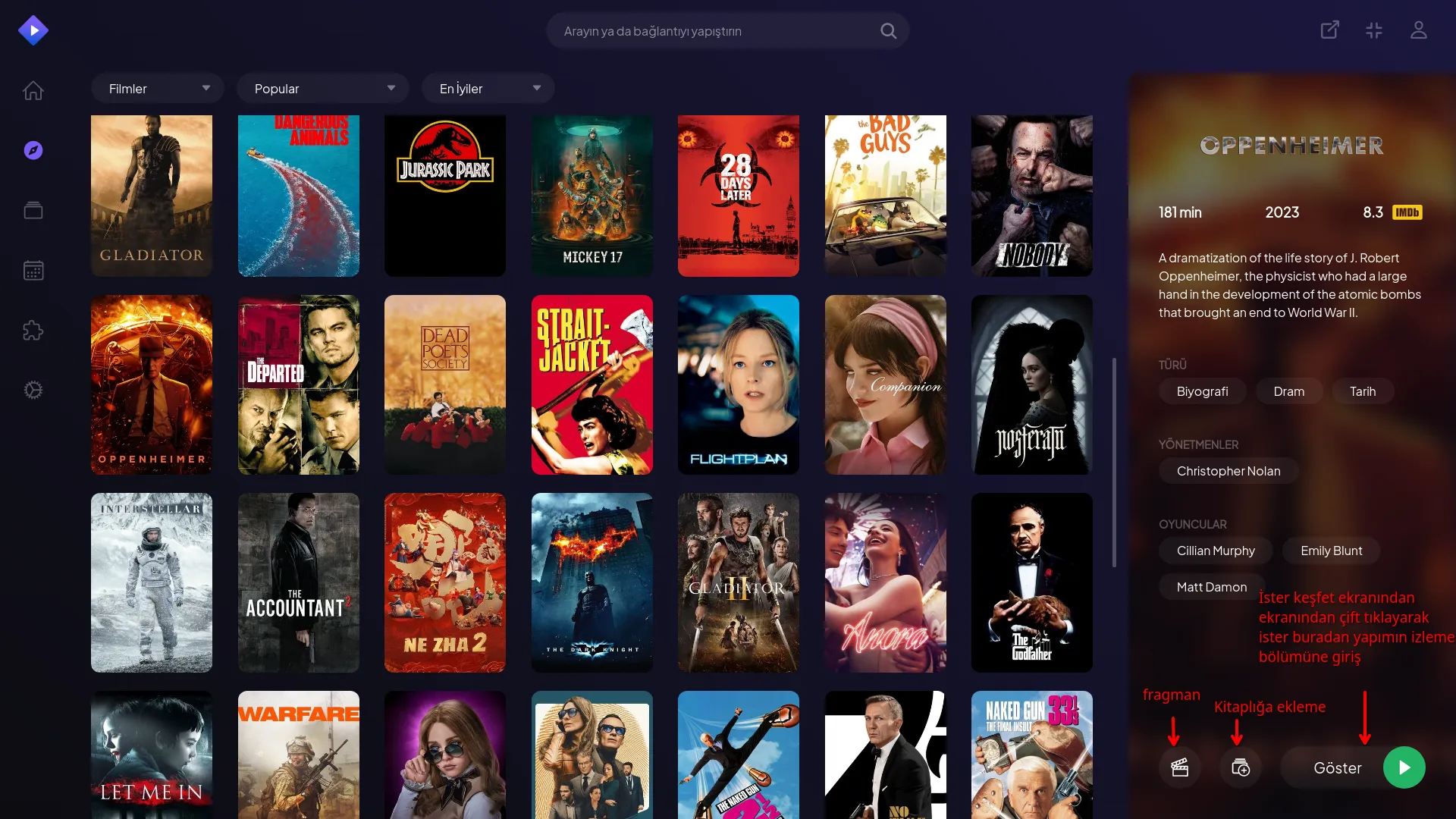
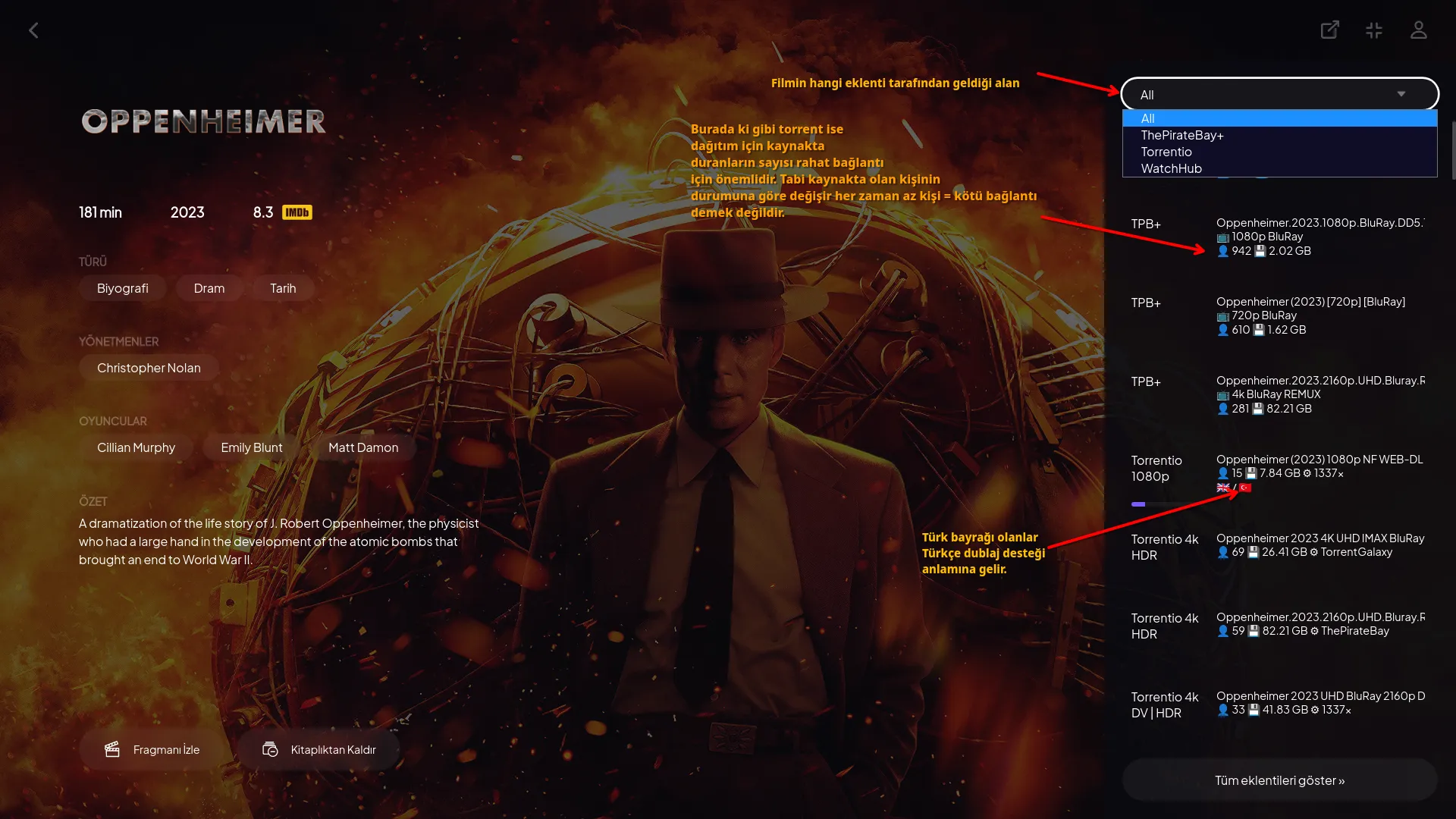
Discover: Area where you can find contents by platform and type.
-
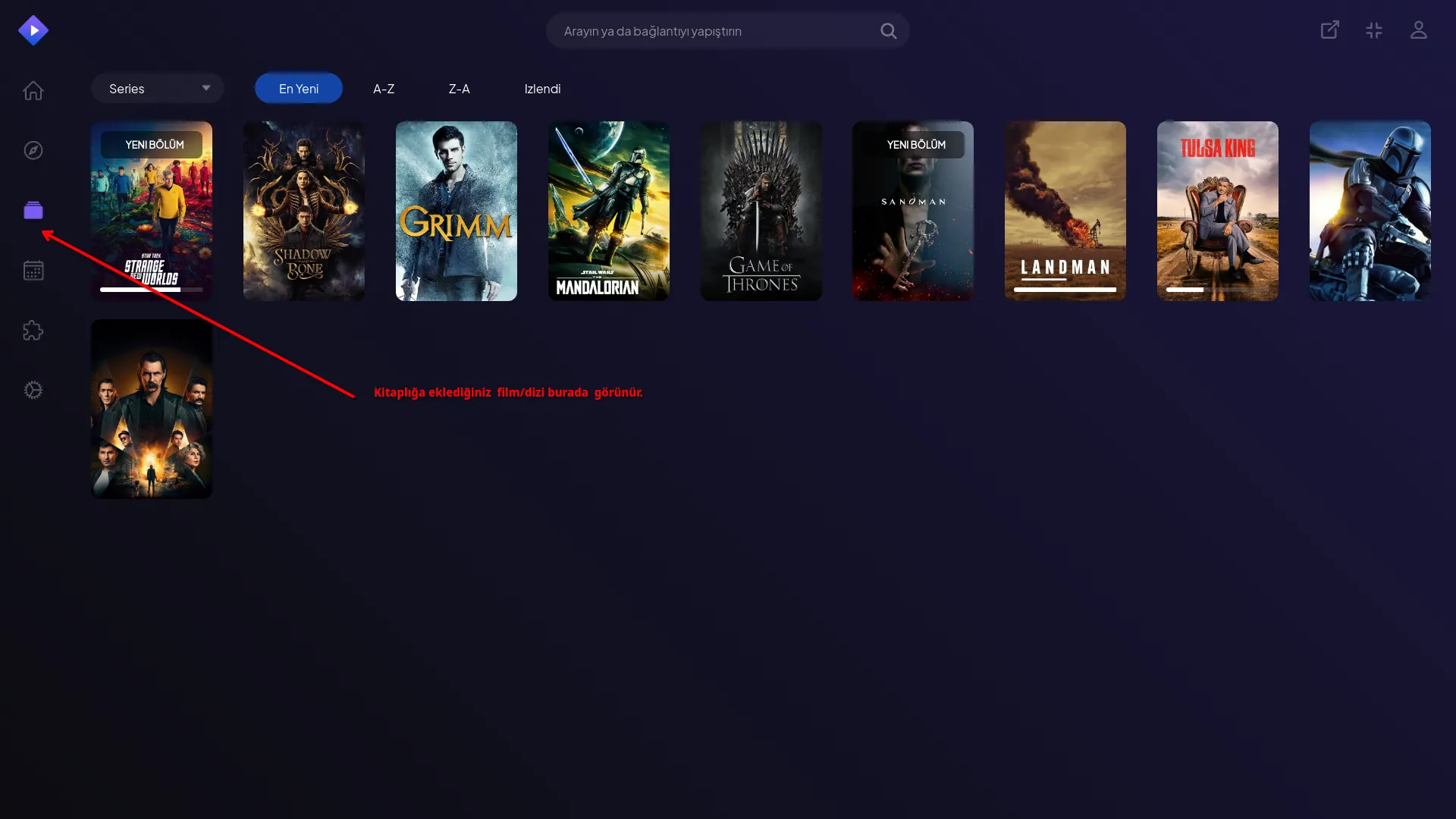
Library: Contents you saved.
-
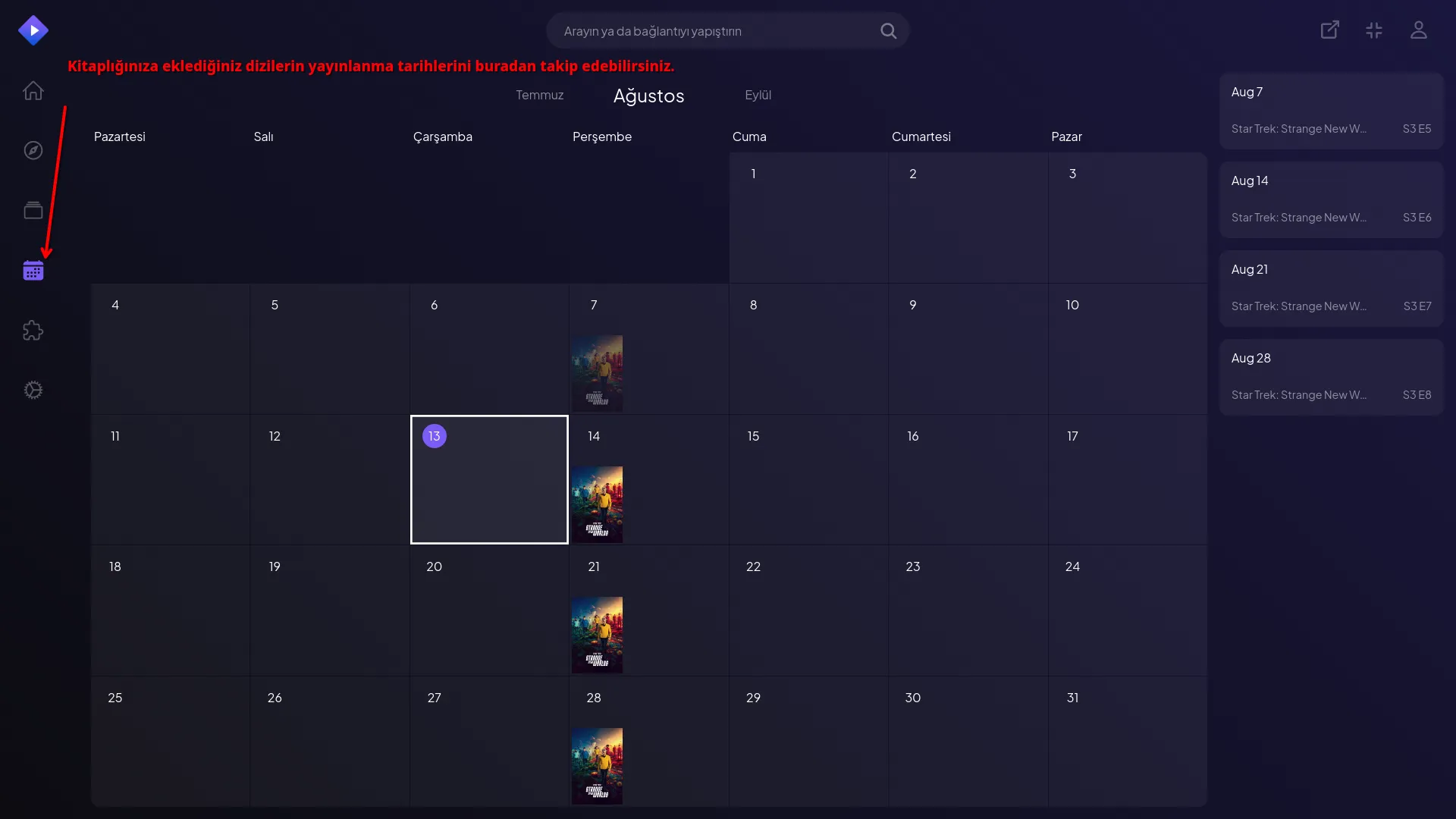
Calendar: Shows episode broadcast dates of series you added to your library.
-
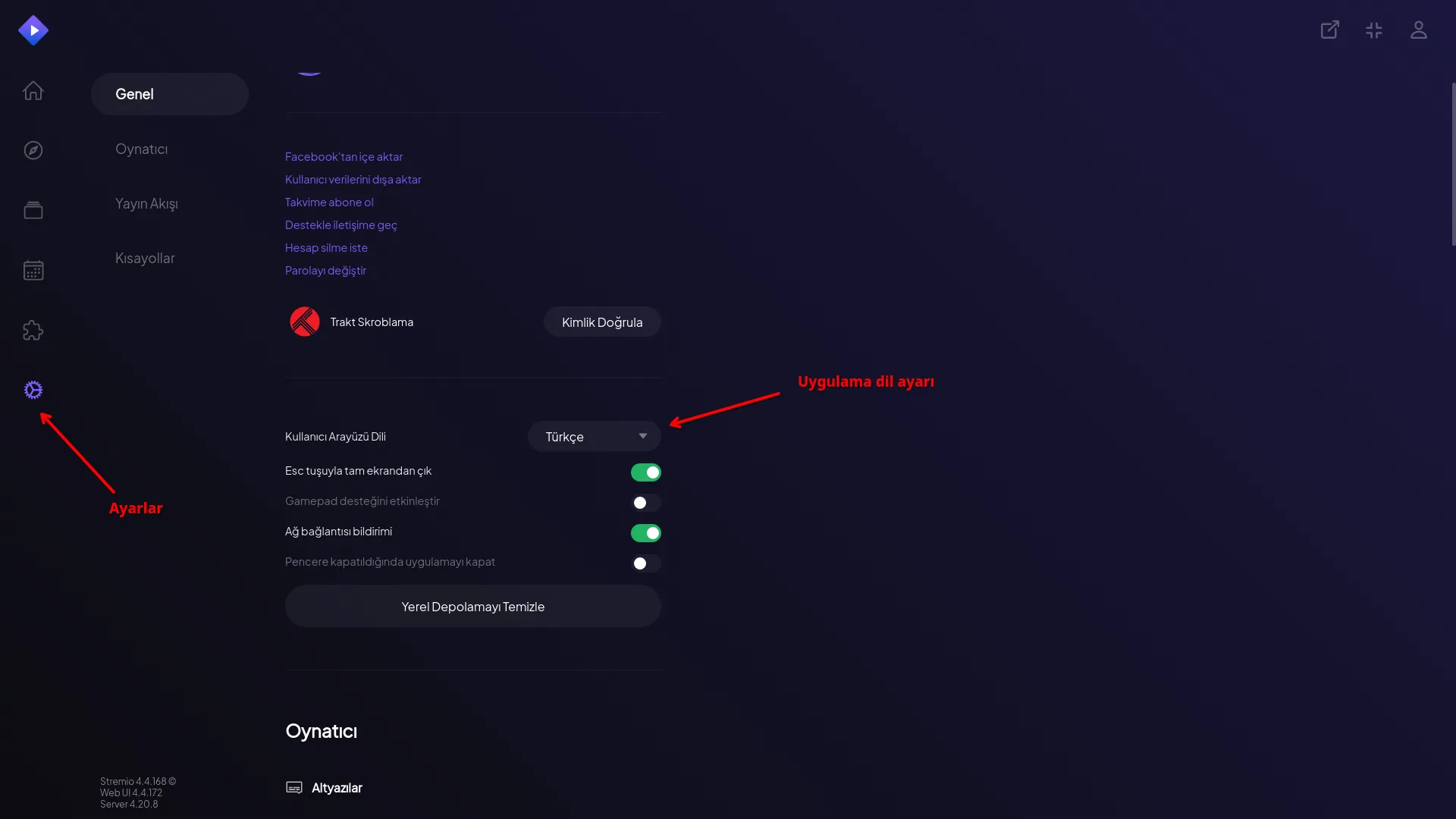
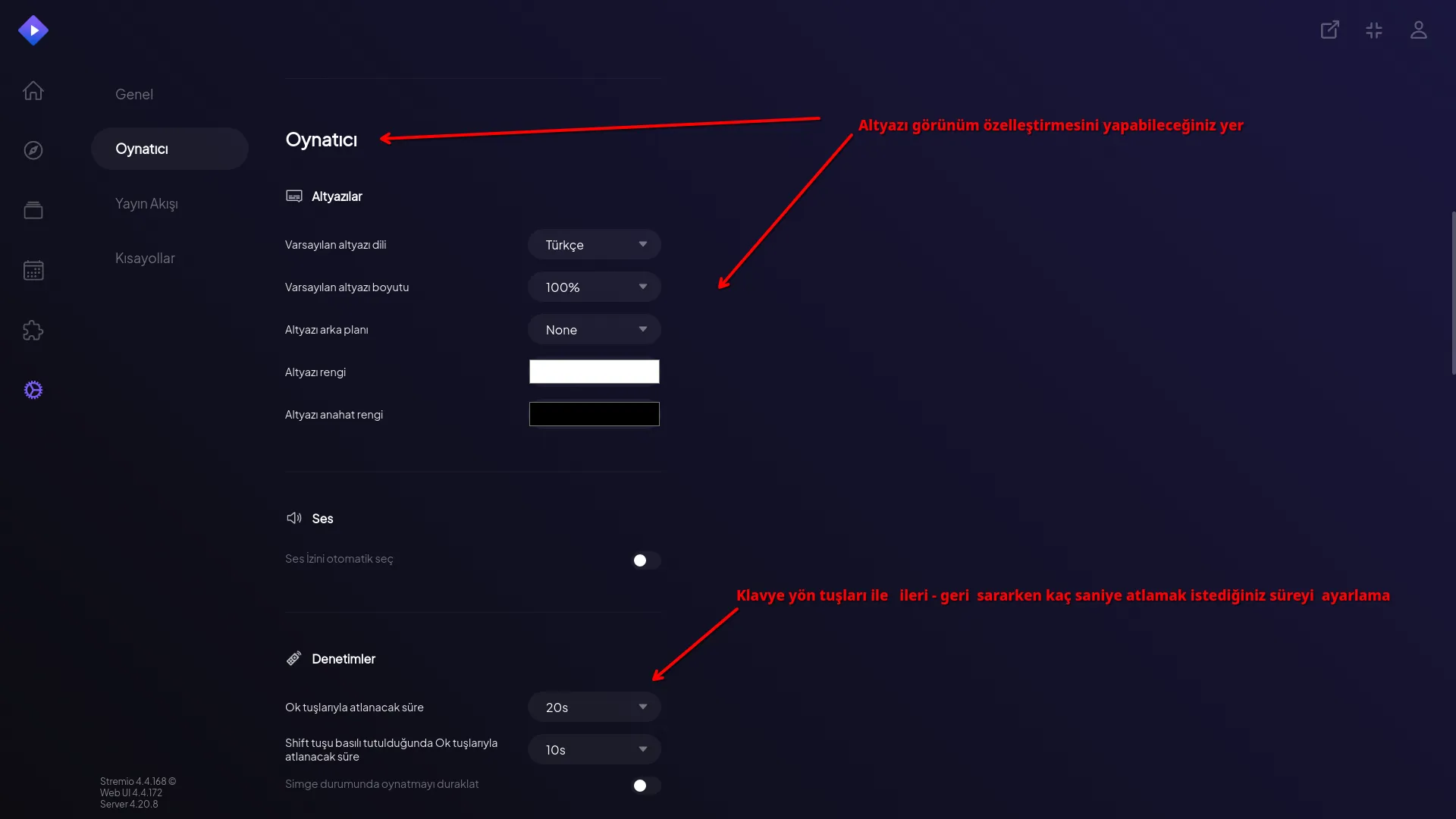
Settings: Area where you can personalize your app experience. Some basic settings.
Stremio Addons: Multiply Your Power ✨#
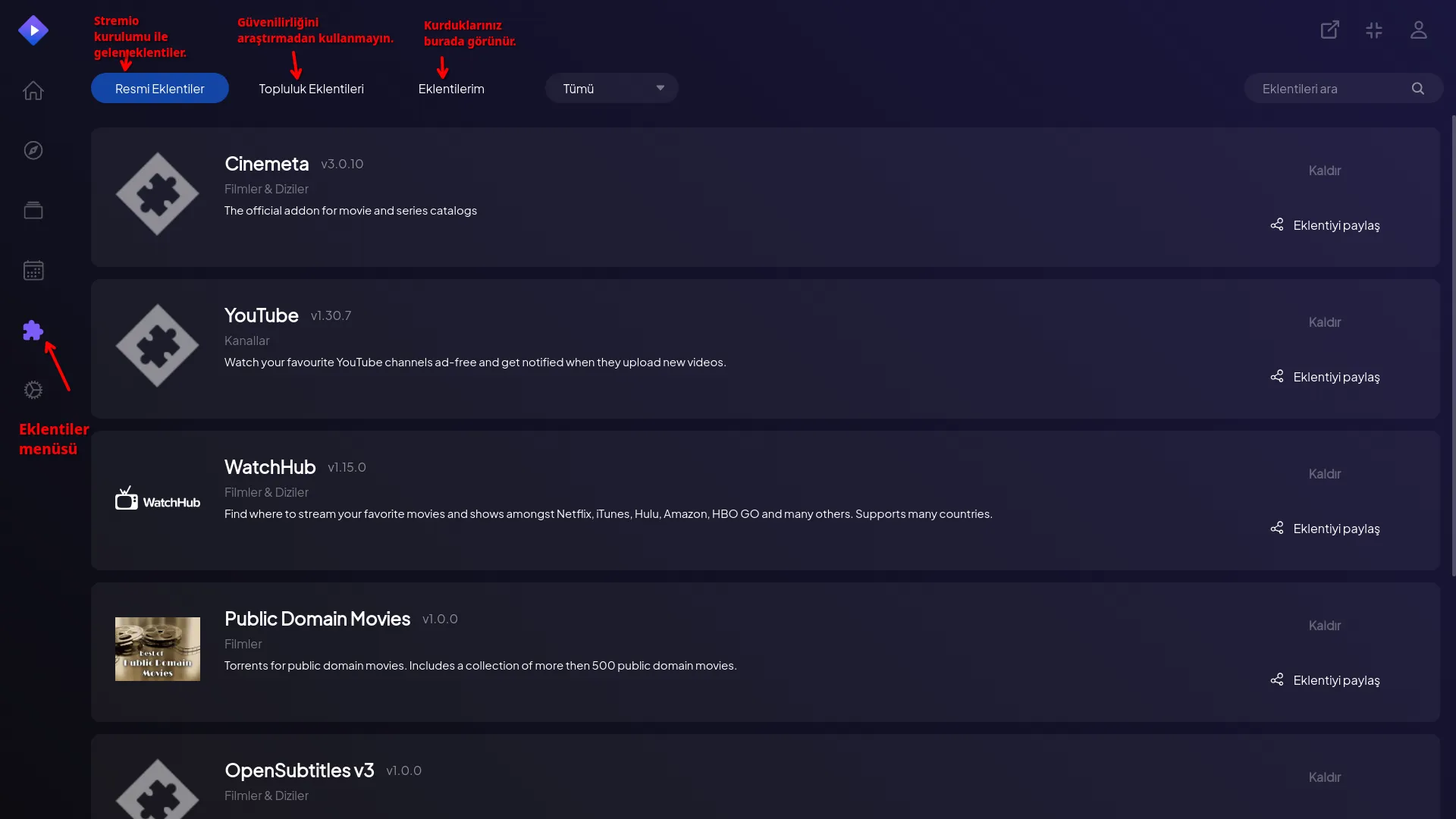
- Addons: Official addons that come with installation. Community addons depend on your personal preference. However, research community addons and don't install them without being sure of their security. Responsibility is yours.
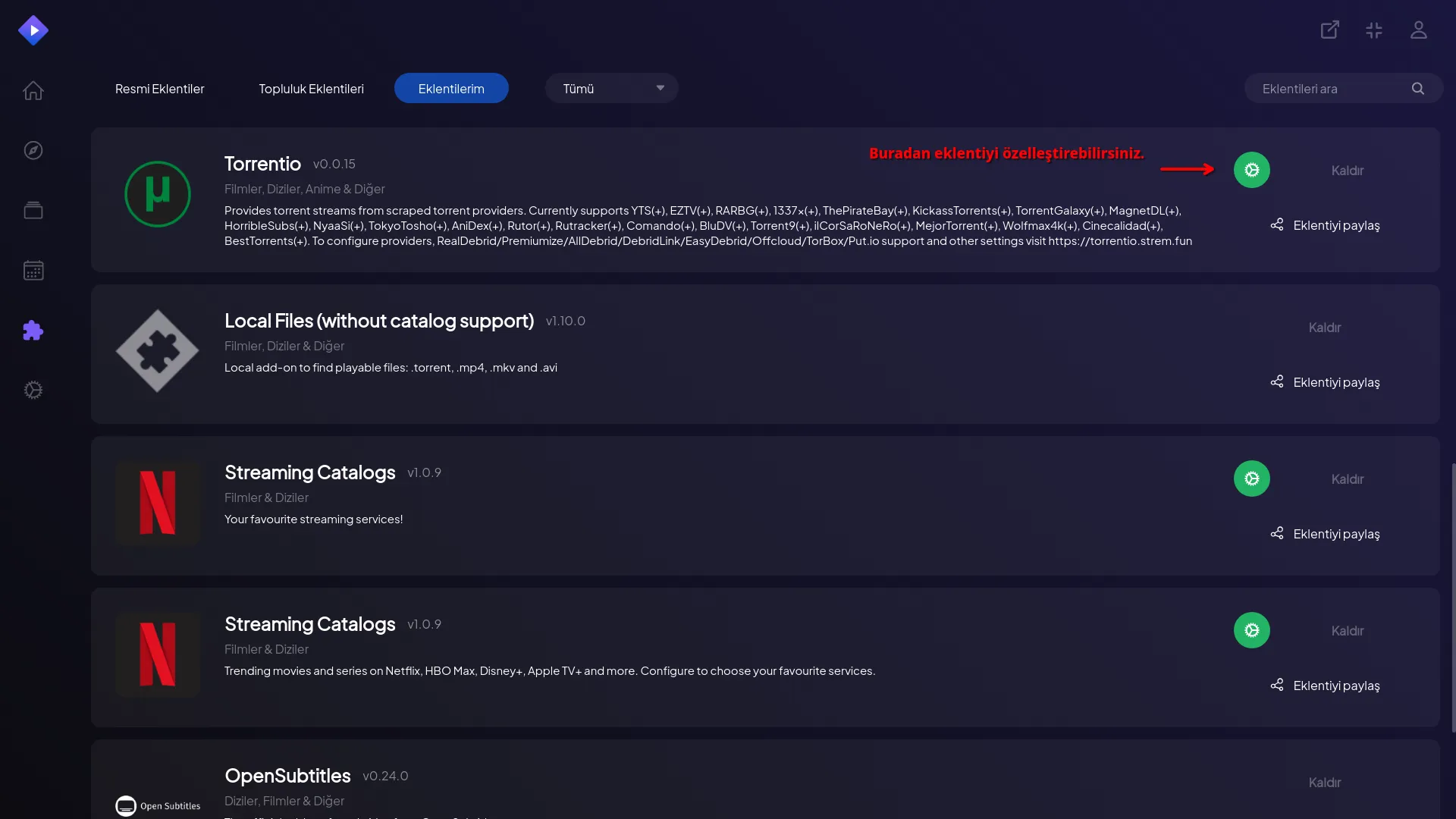
Connections will be faster and uninterrupted with Debrid services like Real-Debrid.
What is Real-Debrid? Simply put, RD is a paid file download service. Its main purpose is to increase the speed and stability of connections from torrent and premium file hosting sites.
Conclusion#
Stremio offers convenience and speed in the fragmented digital content world. With its simple installation, user-friendly interface and powerful addon system, it's a great tool to manage all your media content from one place. However, it's very important to use reliable addons without forgetting your legal responsibilities for a pleasant experience.
Now install Stremio, discover your favorite addons and easily manage your digital entertainment world!
💬 What's your favorite Stremio addon? Or do you have a tip not included in this guide? Share with us in the comments!
Comments