Introduction: Redis or Valkey? 🤔#
Recently, Redis Inc. changed its license which caused debates in the open source world. The community didn't stay idle and created a free, community-focused fork called Valkey.
Valkey is actually a software that we can call a direct alternative to Redis:
- In-memory database 🧠
- Distributed caching system ⚡
- Message queue & broker 📬
If you have used Redis before, you can use Valkey without any difficulty. In this article, I'll explain step by step the installation of Valkey on Arch Linux, its configuration, and how to solve common problems.
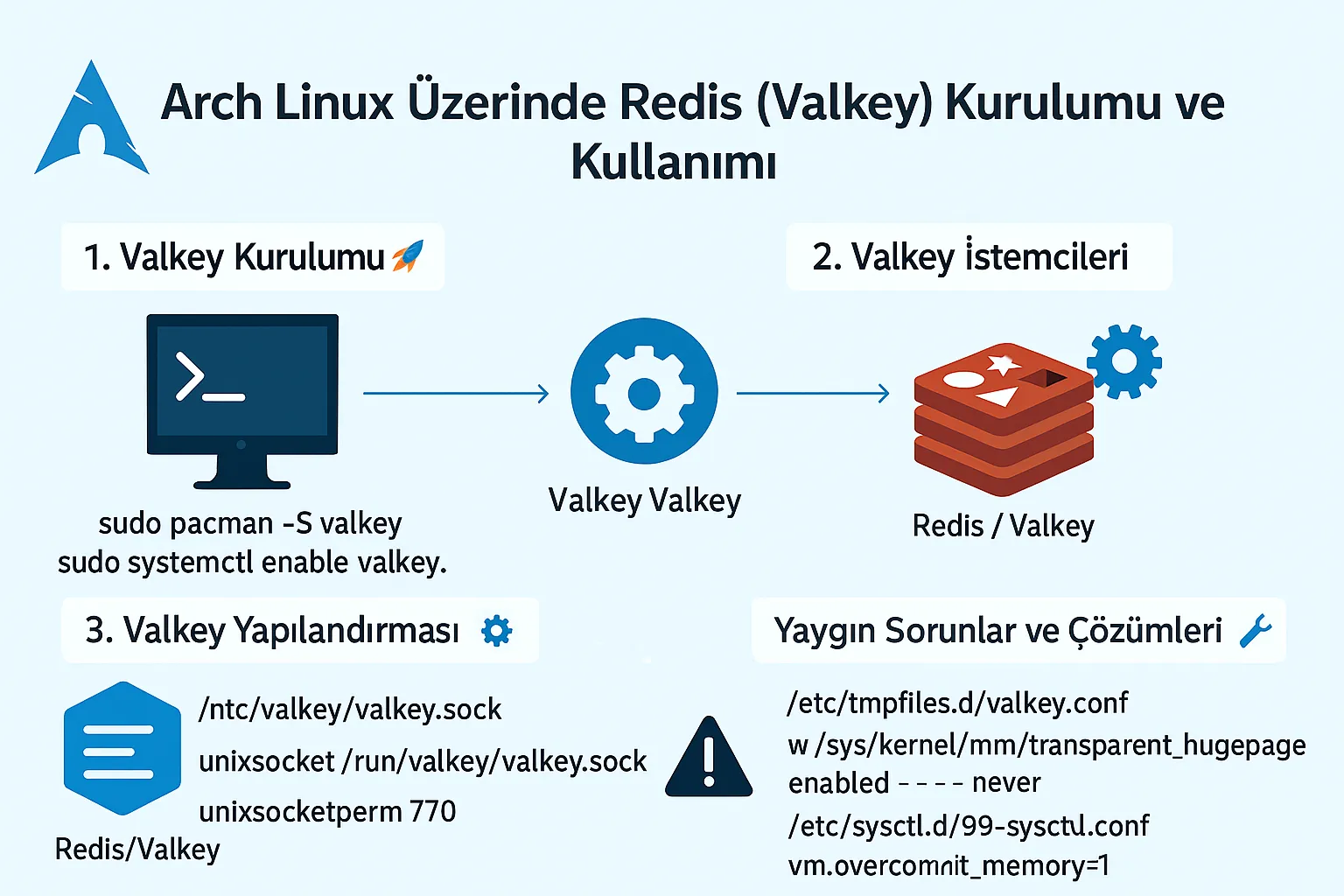
1. Valkey Installation 🚀#
If you're using Arch Linux, your job is very easy because Valkey is available in the official repositories.
Step 1: Package installation#
sudo pacman -S valkey
Step 2: Start and enable the service#
sudo systemctl start valkey.service
sudo systemctl enable valkey.service
To check the status:
systemctl status valkey.service
If you see a green active (running), Valkey is running successfully. 🎉
[friday13@baba ~]$ systemctl status valkey.service
● valkey.service - Advanced key-value store
     Loaded: loaded (/usr/lib/systemd/system/valkey.service; enabled; preset: disabled)
     Active: active (running) since Fri 2025-08-15 15:49:17 +03; 1 day 15h ago
 Invocation: c53b3b13df024fc8ab004eaf48d3754a
   Main PID: 220586 (valkey-server)
     Status: "Ready to accept connections"
      Tasks: 6 (limit: 18627)
     Memory: 4.3M (peak: 7.5M, swap: 1.9M, swap peak: 2.2M)
        CPU: 2min 52.383s
     CGroup: /system.slice/valkey.service
             └─220586 "/usr/bin/valkey-server 127.0.0.1:6379"

Ağu 17 06:45:05 baba valkey-server[220586]: 220586:M 17 Aug 2025 06:45:05.283 * 100 changes in 300 seconds. Saving...
Ağu 17 06:45:05 baba valkey-server[220586]: 220586:M 17 Aug 2025 06:45:05.283 * Background saving started by pid 1097543
Ağu 17 06:45:05 baba valkey-server[1097543]: 1097543:C 17 Aug 2025 06:45:05.288 * DB saved on disk
Ağu 17 06:45:05 baba valkey-server[1097543]: 1097543:C 17 Aug 2025 06:45:05.288 * Fork CoW for RDB: current 0 MB, peak 0 MB, average 0 MB
Ağu 17 06:45:05 baba valkey-server[220586]: 220586:M 17 Aug 2025 06:45:05.384 * Background saving terminated with success
Ağu 17 07:20:02 baba valkey-server[220586]: 220586:M 17 Aug 2025 07:20:02.485 * 100 changes in 300 seconds. Saving...
Ağu 17 07:20:02 baba valkey-server[220586]: 220586:M 17 Aug 2025 07:20:02.485 * Background saving started by pid 1107674
Ağu 17 07:20:02 baba valkey-server[1107674]: 1107674:C 17 Aug 2025 07:20:02.488 * DB saved on disk
Ağu 17 07:20:02 baba valkey-server[1107674]: 1107674:C 17 Aug 2025 07:20:02.488 * Fork CoW for RDB: current 0 MB, peak 0 MB, average 0 MB
Ağu 17 07:20:02 baba valkey-server[220586]: 220586:M 17 Aug 2025 07:20:02.585 * Background saving terminated with success
2. Valkey Clients 🔌#
Client libraries are needed for applications that will use Valkey. Some of the prominent ones:
- Python:
python-redis - PHP:
php-redis - C:
hiredis
For example, for Python:
sudo pacman -S python-redis
CLI test:
valkey-cli
127.0.0.1:6379> set foo "hello"
OK
127.0.0.1:6379> get foo
"hello"
3. Valkey Configuration ⚙️#
Configuration file:
/etc/valkey/valkey.conf
Port setting#
port 6379
To disable TCP connection:
port 0
Running with Unix Socket 🔒#
unixsocket /run/valkey/valkey.sock
unixsocketperm 770
Then add users:
sudo usermod -aG valkey http
sudo usermod -aG valkey git
Restart the service:
sudo systemctl restart valkey.service
4. Common Issues and Solutions 🛠️#
Transparent Huge Pages (THP) Warning#
If THP is left enabled, it can cause Valkey performance issues.
sudo nano /etc/tmpfiles.d/valkey.conf
Content:
w /sys/kernel/mm/transparent_hugepage/enabled - - - - never
w /sys/kernel/mm/transparent_hugepage/defrag - - - - never
TCP Backlog Error#
sudo nano /etc/sysctl.d/99-sysctl.conf
Add:
net.core.somaxconn=512
Apply:
sudo sysctl --system
Overcommit Memory Warning#
vm.overcommit_memory=1
You can add this to 99-sysctl.conf as well.
5. Useful Tips ✨#
5.1 Auto Completion (Zsh)#
compdef '_dispatch redis-cli_completion redis-cli' valkey-cli
Add this to your ~/.zshrc file.
If you don't know what zsh is, you can check out this article: Oh My ZSH Installation (Including Themes and Plugins)
5.2 Basic Commands in CLI#
set key "value"   # Save value
get key           # Get value
del key           # Delete key
keys *            # List all keys
flushall          # Clear all data
6. Real-world Usage Scenarios 💡#
- Caching system: Speeding up database queries.
- Session management: Storing user sessions.
- Message queue: Communication between microservices.
- Counters: Real-time visitor, like, etc. counters.
Conclusion 🎯#
In this article, you learned step by step the Valkey (Redis alternative) installation, configuration, client libraries, and solutions to common problems on Arch Linux.
Now you can confidently use Valkey both in your development environment and production servers. 💚
Comments