Series: Facebook
Part 3/4Hello 👋#
After the videos I published about two years ago, I started to receive frequent questions on this subject. During this process, I tried to answer all questions coming through Instagram. However, with Facebook's changing design, the process of adding friends to a group has been further restricted. A daily limit of adding 25 friends has been introduced, and some changes have been made in the adding interface. Therefore, the old methods no longer work. 😕
The rules in the Facebook Bulk Friend Adding Version 1 method that I mentioned in my previous post are still valid. Please do not overuse these tools and put your account at risk of spam! Because I don't want you to return with complaints like "My account fell into spam", "I can't add anyone", "I got banned". 😊 Use the tools in moderation and carefully!
Updated Facebook Group Friend Adding Method 🚀#
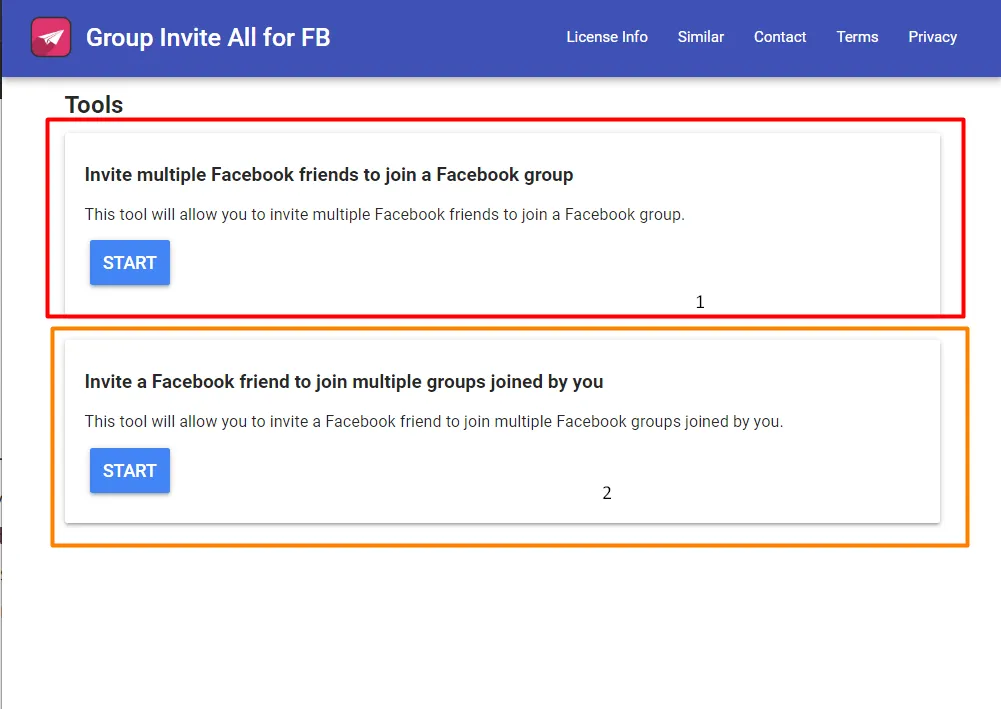
As shown in the image above:
- The first feature allows you to invite your friends to your group.
- The second feature helps you add your friends to groups you have joined.
Tools Required for Use 🛠️#
- We download the Group Invite All for FB extension.
- We open the group page where we want to add people.
- We run the extension.
- After the friend list comes up, we paste our group link in the relevant area.
- If we want to add an invitation message, we write our message in the "Enter an invitation note (optional)" section.
- If you are having trouble finding friends, you can check my Facebook Automatic Friend Adder + Timed + Selective post.
Video Guide 🎥#
By applying these methods, you can manage your Facebook groups more effectively. However, remember, act naturally, without spamming! 🚀 If you have questions, you can leave a comment. 😊
Comments