Why?#
Hello! Spotify only offers the offline music listening feature to premium subscribers. However, in this guide, I will show you step by step how to download your favorite playlists for free without using a premium account.
There are various Spotify downloader tools available on the internet, but most of them either don't work properly or can't provide continuity. The method I will explain has been working flawlessly for months and is very practical!
How to Do It?#
- Log into your Spotify account and visit the following site: Playlist Converter
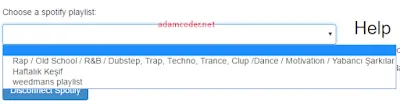
- Click on the Spotify tab and then press the "Login with Spotify" button to log into your account.
- Select the playlist you want to download. The duration of the process may vary depending on the length of the playlist.
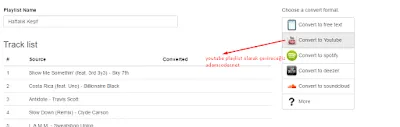
- After the list is analyzed, a menu like the one below will open. From here, select the "Export to YouTube" option.
- On the opened page, click the "Login with YouTube" button to log in with your Google account and select the YouTube account to which you will transfer the playlist.
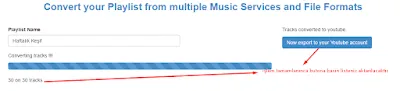
- After the transfer is completed, you will see a screen like the one below.
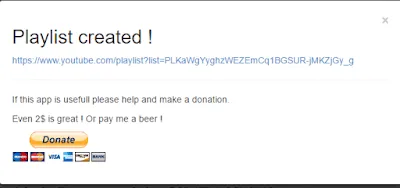
 7. Copy the link of the playlist created on YouTube.
- Download the 4K Video Downloader program to your computer and use the full version. After opening the program, click the "Paste Link" button and download the video.
- After the video parsing process is completed, you will be offered the option to download as MP3 or video. Select the option to download as MP3.
Alternatively, you can also download music via terminal using youtube-dl.
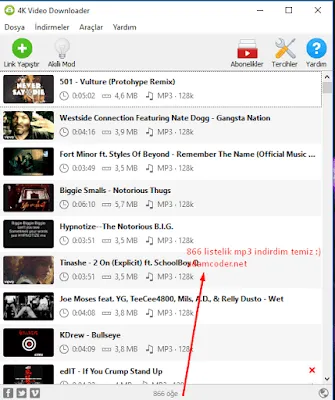
With this method, you can easily download your favorite music from Spotify and listen to it without an internet connection! 🎵 If you encounter any problems, you can share them in the comments. Enjoy listening! 🎧
Comments