End Subtitle Search with VLSub (Illustrated Guide) 🎬#
Hello! I'm going to talk about the VLSub plugin, which I've been using and recommending for years whenever I watch a movie or series. I love watching films and series with original voices and subtitles because this both gives familiarity with the language and allows me to experience the production in a more natural way. In the past, we had to manually search for subtitles and test whether they were compatible. Fortunately, VLSub provides great convenience by automating this process! 🚀
This feature may come built-in in newer VLC versions. If you see the VLSub menu under the View tab, you don't need to install an additional plugin. ✅
🛠 Installation#
- Download and install the VLC Media Player program. (It's completely free and open source.)
- If you can't see the VLSub option under the View menu, follow these steps:
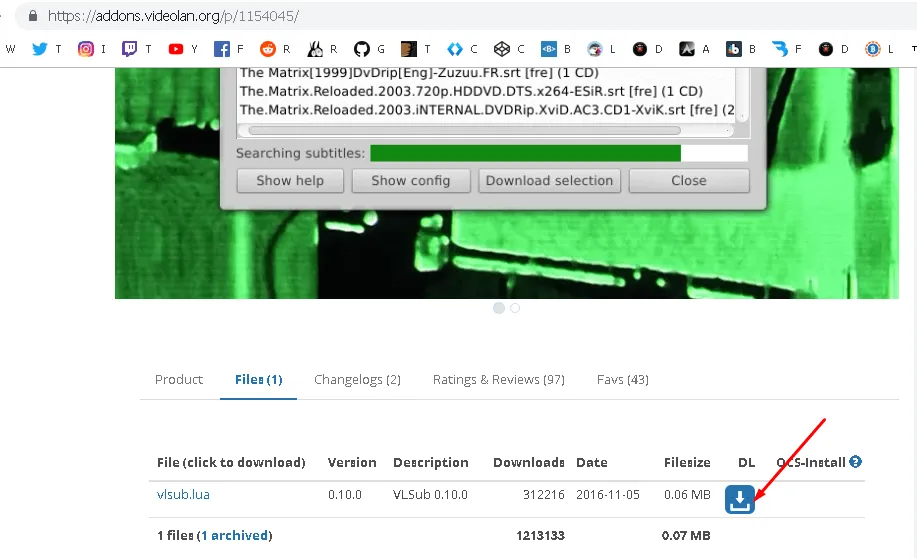
- Download the plugin from here.
- Copy it to the C:\Program Files\VideoLAN\VLC\lua\extensions directory.
- VLC must be closed! After copying, restart VLC.
📂 Plugin Directories (For Different Operating Systems)#
- Windows (All Users):
%ProgramFiles%\VideoLAN\VLC\lua\extensions - Windows (Current User):
%APPDATA%\vlc\lua\extensions - Linux (All Users):
/usr/lib/vlc/lua/extensions/ - Linux (Current User):
~/.local/share/vlc/lua/extensions/ - Mac OS X (All Users):
/Applications/VLC.app/Contents/MacOS/share/lua/extensions/ - Mac OS X (Current User):
/Users/%your_name%/Library/Application Support/org.videolan.vlc/lua/extensions/
🔍 Finding Subtitles#
- Open the video you want to watch.
- From the menu: Click
View -> VLSub.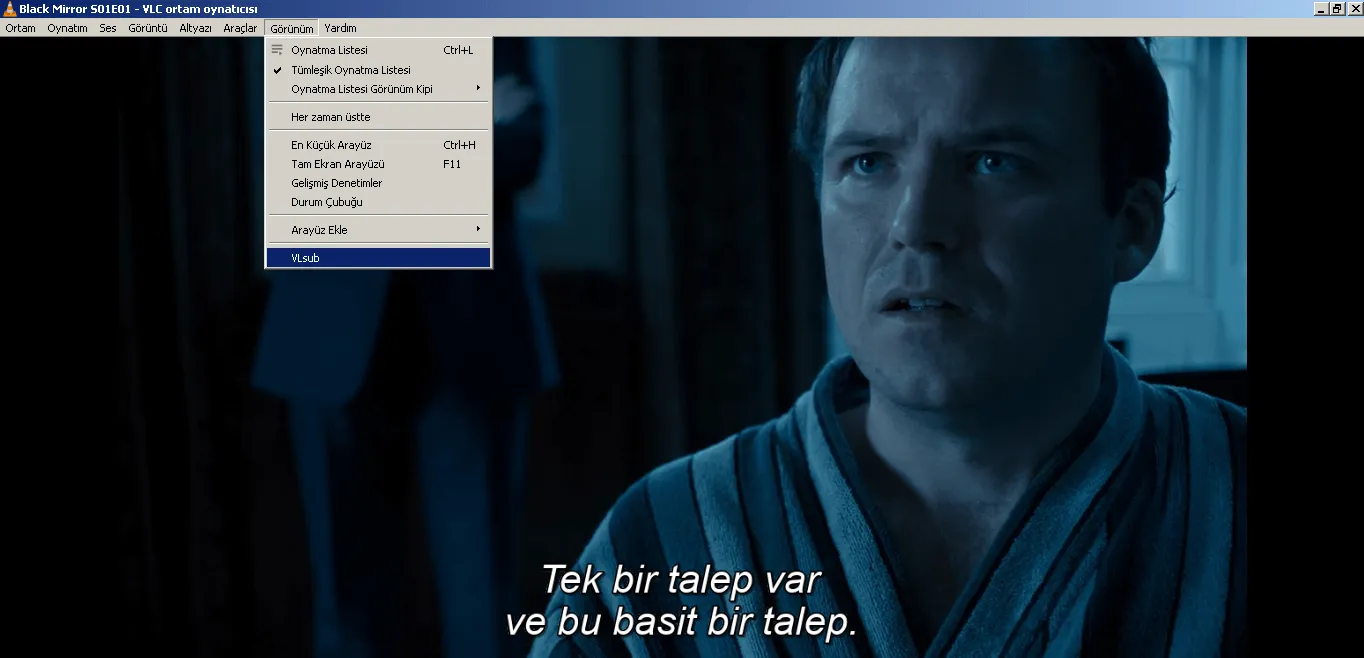
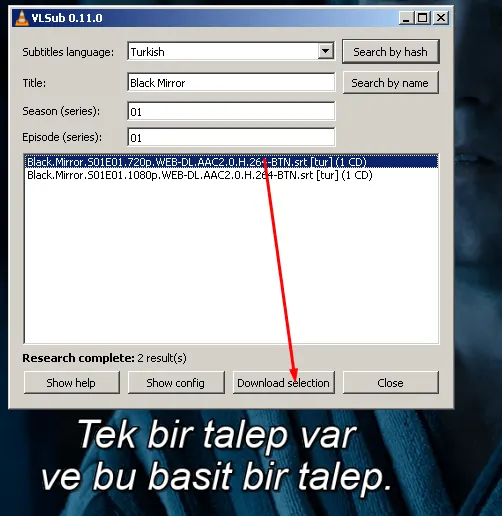
- In the opened window, you can automatically search for the movie or series name or enter it manually.
- Click on one of the results and press the Download Selection button.
- The subtitle will be automatically downloaded to the same folder.
ℹ️ Extra Information#
In some video files, even though there is an indication of "subtitles available", the subtitles inside may be in English or a different language. This situation is commonly seen in large files. Thanks to VLSub, you can easily scan all seasons or a single episode to find the correct subtitle. 😎
Get rid of the hassle of subtitle searching and continue watching with pleasure! 🎥🍿
Don't forget to mention your questions or suggestions in the comments! 🤗
Comments