Ngrok Usage Illustrated Guide#
Since the old images in the post were deleted, the explanation has been updated for Linux. (March 08, 2017)
Hello, it used to take various complex procedures to show the project you coded locally to your friends or customers live.
Thanks to Ngrok, you can now easily perform these operations. The software is quite simple to use and install.
Downloading Ngrok#
Download the version suitable for your operating system from the official Ngrok website.
You can use the “Docs” section for other systems.
Open your terminal and go to the folder where you downloaded the file.
Since I use a single disk, I downloaded it to the Downloads folder.
cd Downloads
./ngrok help
This way you can get information about Ngrok's usage options.
Tip ⚡ The Ngrok help command is ideal for quickly remembering command parameters.
Starting the Local Server#
Then we start the local server you are using (e.g., XAMPP).
cd /opt/lampp
sudo ./manager-linux.run
The command above opens the XAMPP interface. If you want to start without using the interface, type this command:
sudo /opt/lampp/lampp start
Note: Running without an interface is generally faster, but you'll need to deal with error outputs directly via the terminal.
Opening Your Project for Publication with Ngrok#
After starting your local server, type the following command:
./ngrok http 80
Caution! You should write the command as http, not htpp, otherwise you will get an error.
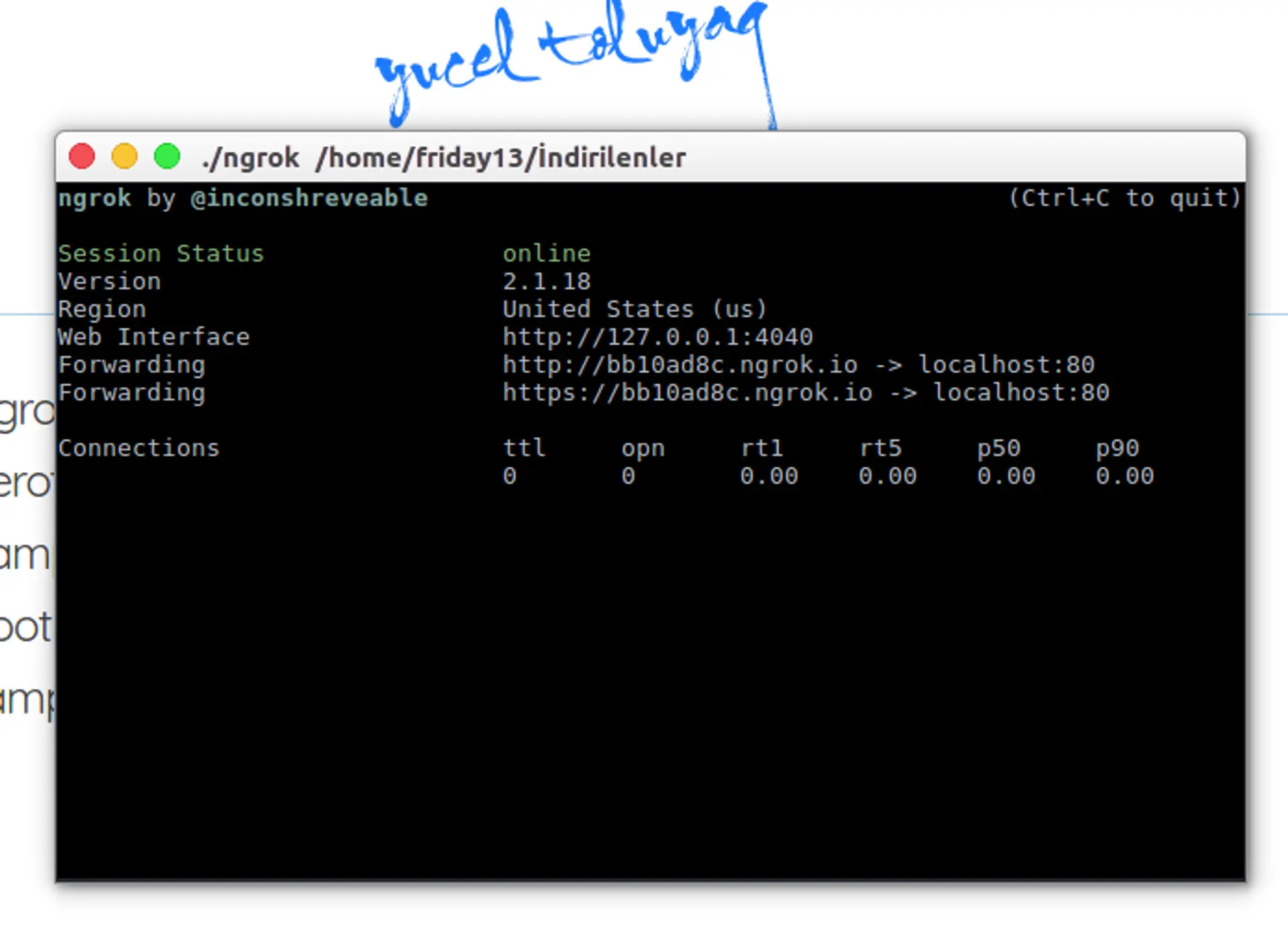
After this command runs, you will see an address like this in the terminal:
http://bb10ad8c.ngrok.io
You can send this address to the people you will show your project to. However, if you send it this way, the person will see your root directory. If you only want to show a specific folder, you need to share it by adding the project folder:
http://bb10ad8c.ngrok.io/projectfolder
For example:
http://bb10ad8c.ngrok.io/socialnetworkproject
Tip ⚡ If you share a specific folder, only the files under that directory will be accessible.
If you want to use stylish, custom local domain names instead of IP addresses and folder paths in your local development environment, my guide on XAMPP Custom Domain Definition is exactly what you are looking for!
Good luck with your work! 😊
Comments