Series: ArchLampp
Part 2/4Hello! After a long break, I'm writing on my blog to document the English Documentation of a method I frequently use when creating projects. This method is called Virtual Host. By assigning a domain to each project, it helps in remembering coding and project names. This method also provides convenience during integration of files like CSS and JS.
- Arch Linux XAMPP/LAMPP Installation should be performed.
We will create a domain named baba.test.
Creating Domain#
To create the domain, you can use the following command:
sudo mkdir /srv/http/baba.test
Put a test file inside this domain. For example:
Creating File#
sudo nano /srv/http/baba.test/index.html
Paste the following code inside:
Editing File#
<html>
  <head>
    <title>baba.test</title>
  </head>
  <body>
    <h1>
      Don't Forget to Subscribe to My YouTube Channel: Virtual Host Process
      Successful
    </h1>
  </body>
</html>
Saving File#
Press F3 then F2 to save and exit.
HTTPD Configuration#
To edit the HTTPD configuration, use the following command:
sudo nano /etc/httpd/conf/httpd.conf
Editing HTTPD#
Add the following line at the bottom of the file:
# Virtual hosts
Include conf/extra/httpd-vhosts.conf
New Vhost File#
Press F3 and then F2 to save the file. Afterwards, use the following command to create a new file:
sudo nano /etc/httpd/conf/extra/httpd-vhosts.conf
Editing VHOST#
Add the following lines at the bottom of this file:
ServerAdmin webmaster@baba.test
DocumentRoot "/srv/http/baba.test"
ServerName baba.test
ServerAlias www.baba.test
ErrorLog "/var/log/httpd/baba.test-error_log"
CustomLog "/var/log/httpd/baba.test-access_log" common
This is the standard usage. However, you can use only the DocumentRoot and ServerName parts. If you don't want to use the others, you can make them inactive by putting a # sign in front of them.
Apache Configuration Test#
You can use the following command to test your configuration:
apachectl configtest
But there is one final step left. Now, we will edit the hosts file and define this URL.
Editing Hosts File#
sudo nano /etc/hosts
Add the following line at the bottom of the file:
Domain Definition#
127.0.0.1 baba.test
Finally, save and exit, then restart the Apache server:
sudo systemctl restart httpd
Conclusion ;)#
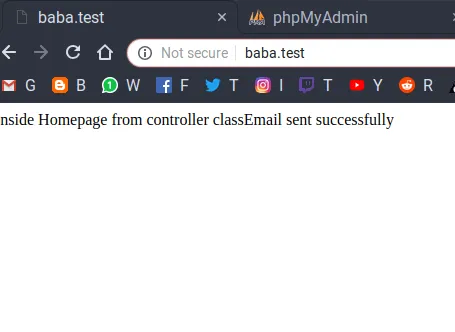
Comments