Series: Android Rehberleri
Part 1/2MediaTek IMEI Backup - Repair Guide 📱#
⚠️ Warning! These operations are risky and may cause irreversible problems on your device. Applying the steps described in this guide is entirely at your own risk. In case of any problems, the content owner cannot be held responsible.
📱 Important data on your phone (applications, settings, files, etc.) may be lost during the process. Be sure to take backups before the operation and back up your important files.
💡 This software and method has only been tested and supported on the following MediaTek devices:
🎯 Introduction Section#
IMEI problems on MediaTek (MTK) based Android devices are a frequently encountered problem, especially after ROM installation or software updates. IMEI is the unique identity number of your phone and when it is deleted or corrupted, your device's connection to the network is blocked. This problem may occur due to incorrect ROM installation, software errors or NVRAM problems.
In this guide, you will learn how to easily perform MediaTek IMEI repair on your Arch Linux based system using the mtk_imei tool. In our guide, we will cover the following topics: causes of IMEI problems, installation of required tools, how to get chip ID, preparing config file, creating flashable zip, NVRAM backup, flashing process and verification steps. We will also provide solution suggestions for possible problems.
🔍 Why IMEI Repair is Necessary?#
IMEI is the unique identity number of your phone and when it is deleted or corrupted, your device's connection to the network is blocked. This problem may occur due to incorrect ROM installation, software errors or NVRAM problems. In this case:
- Your phone cannot connect to the network
- You cannot make calls
- You cannot send SMS
- You cannot use mobile data
In this guide, you will learn how to solve this problem technically.
📦 Requirements and Preparations#
Before starting the process, make sure you have the following requirements:
- Linux, Windows, Mac based system (we are using Arch Linux)
adbandfastboottools must be installedphpinstallation (mtk_imei tool works with PHP)- mtk_imei tool (GitHub: timjosten/mtk_imei))
- TWRP Recovery installed MediaTek device
- USB cable
If you are using Arch Linux, you can install the required packages with the following commands in terminal:
For installation and check:
sudo pacman -S android-udev
pacman -Qi android-udev
Name            : android-udev
Version         : 20250525-1
Description     : Udev rules to connect Android devices to your linux box
Architecture    : any
URL             : https://github.com/M0Rf30/android-udev-rules
Licenses        : GPL-3.0-only

sudo udevadm control --reload-rules
sudo udevadm trigger
🛠️ Step by Step IMEI Repair Process#
1️⃣ Step: Installing Required Tools#
First, download the mtk_imei tool from GitHub:
git clone https://github.com/timjosten/mtk_imei.git
cd mtk_imei
Don't run the script yet, we need to prepare the config file first.
2️⃣ Step: Preparing Chip ID and Config File#
Get your device's chip ID:
adb shell getprop ro.boot.chipid
💡 chip_id value should consist of 0x + 32 hexadecimal characters (total 34 characters).
Sample output:
0x1234abcd5678ef90123456789abcdef0
Create config.txt file in mtk_imei folder in JSON format:
{
  "patch_cert": 0,
  "device": "begonia",
  "kernel": "4.14.186",
  "chip_id": "0x1234abcd5678ef90123456789abcdef0",
  "imei_1": "123456789012345",
  "imei_2": "543210987654321",
  "wifi_mac": "001122334455",
  "bt_mac": "66778899aabb"
}
The config.txt file must be in JSON format. wifi_mac and bt_mac fields cannot be left blank; they must be 12-digit hexadecimal values.
To get Wi-Fi and Bluetooth MAC addresses:
adb shell cat /sys/class/net/wlan0/address
adb shell cat /sys/class/bluetooth/hci0/address
Check file format:
file config.txt
If CRLF exists, correct it:
sed -i 's/\r$//' config.txt
3️⃣ Step: Creating IMEI Repair Package#
Create the flashable .zip file by running the mtk_imei.sh script:
./mtk_imei.sh
When successful, you will get the following output:
MTK IMEI patcher by timjosten
Success!
The imei_repair-<device>-<kernel>.zip file will be created in the out/ folder.
4️⃣ Step: Taking NVRAM and NVDATA Backup#
Always take a backup for recovery after incorrect operation.
Turn on your phone in TWRP Recovery mode:
- Go to Backup menu
- Select NVRAM and NVDATA partitions
- Save the backup to SD card or computer
5️⃣ Step: Flashing IMEI Repair Zip File#
Send the IMEI repair file to the phone:
adb push out/imei_repair-begonia-4.14.186.zip /sdcard/
Turn on the phone in TWRP mode:
- Go to Install menu
- Select
imei_repair-*.zipfile - Load by Swipe to confirm flash
- After the process is complete, restart with Reboot > Recovery
6️⃣ Step: Verifying IMEI#
After the phone is turned on:
- Check from Settings > About Phone > IMEI
- Or enter
*#06#code on phone keypad
Make sure the IMEI numbers are displayed correctly.
⚠️ Troubleshooting Tips#
IMEI Not Visible? If IMEI is not visible, try setting the 'imei_1' value in config.txt to '000000000000000' and writing only the real IMEI to the 'imei_2' field.
Bootloader Warning It may not be possible to re-lock the bootloader after this operation.
Restoration, If you encounter problems, you can restore your backed up NVRAM and NVDATA via TWRP.
🎯 Conclusion and Summary#
With this guide, you can easily perform IMEI repair on MediaTek processor devices in Arch Linux environment. In short:
- We installed the required tools
- We prepared Chip ID and config file
- We created flashable zip
- We took NVRAM backup
- We performed flashing process
- We verified IMEI
Always remember to take backups before the process and follow the steps carefully. With this process, you can solve your device's network connection problem.
🔗 Related Resources and Next Steps#
- MTK IMEI Tool: mtk_imei on GitHub
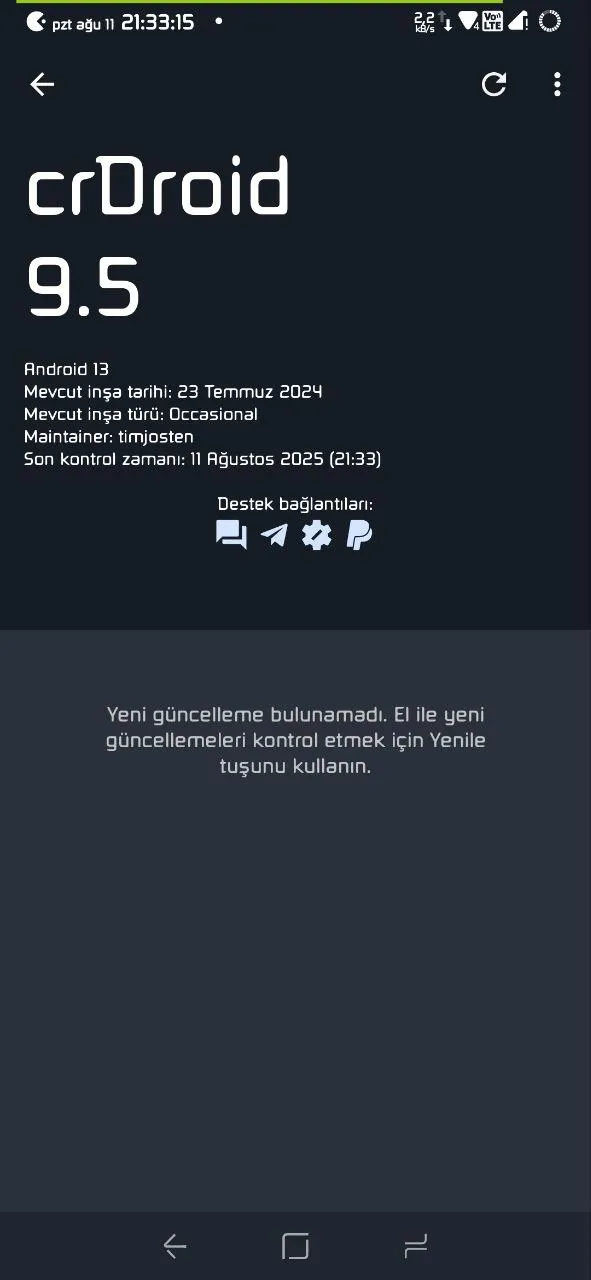
- TWRP Installation: You can find the appropriate TWRP version for your device from your ROM's official telegram channel or XDA Developers forum. ROM UNOFFICIAL begonia 13 crDroidAndroid
- ADB/Fastboot Installation: Android Developer Site
- Other Troubleshooting Guides: Our Troubleshooting Category
📞 Share Your Experiences Too!#
If this guide helped you or if you got stuck at some points, you can share your questions and opinions in the comments. For other MediaTek problems, you can also get support from our forum. 🙌
Comments